How to Program a Craftsman Garage Door Remote: 5-Step Guide

Programming a Craftsman garage door opener remote takes under two minutes when you know exactly where the learn button is and how to time the sequence — and this guide walks you through how to program a Craftsman garage door opener remote using the exact steps the Chamberlain Group, Craftsman’s licensed manufacturer, outlines in their official support documentation.
Most failed attempts come down to one mistake: pressing the remote button outside the 30-second programming window after the learn button is released.
Follow these five steps and your remote will be synced, tested, and working before you leave the garage.
Locating the Learn Button on Your Craftsman Opener
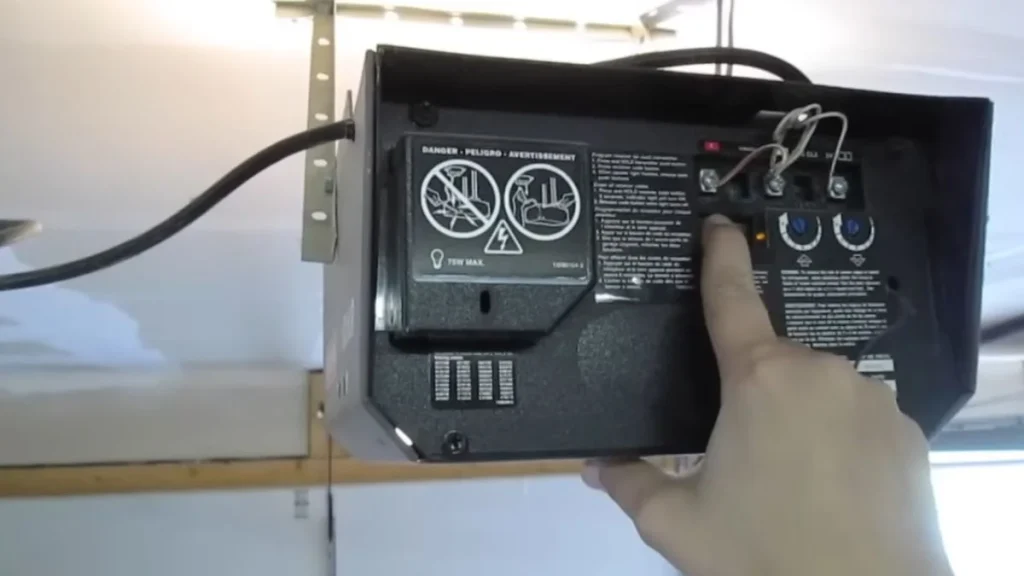
Where to Find It
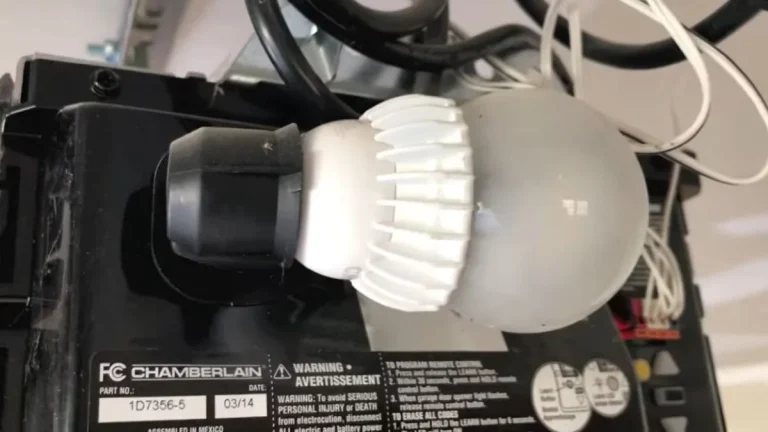
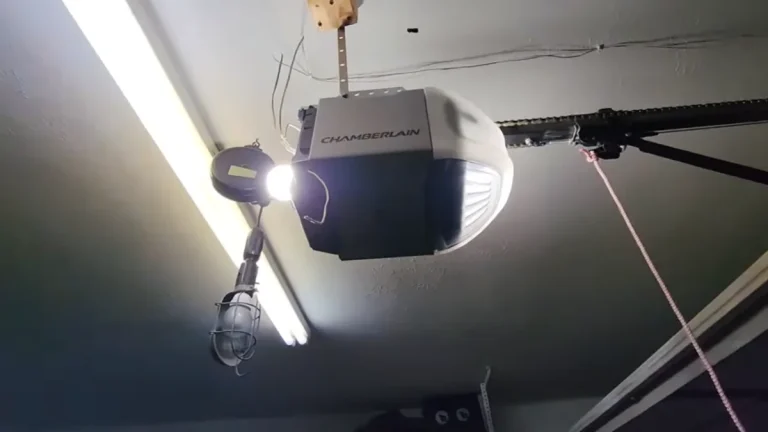
The learn button sits on the back or side panel of the motor unit — the large rectangular housing mounted to your ceiling above the door. Look for a small, colored button positioned near where the antenna wire hangs down, usually within 2 inches of the receiver wiring terminal.
Model year matters here. On older Craftsman openers from 1998–2005, the learn button is often hidden behind a light cover panel you’ll need to remove first. On modern units — including the popular Craftsman 1/2 HP garage door opener — the button is exposed and visible without removing any panels.
Identifying the Right Button
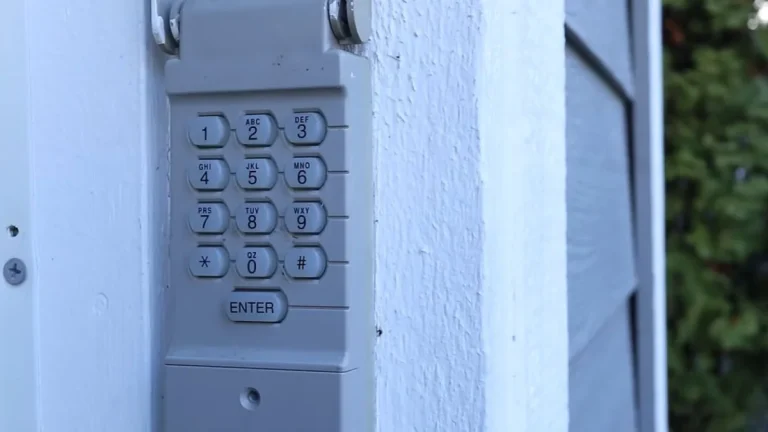
Craftsman uses color to signal function. A purple learn button means the unit runs on 315 MHz frequency and supports Security+ remote synchronization. A black or orange learn button typically indicates an older or different frequency system. Never confuse the learn button with the standard black wall button connector, which is a separate terminal used for wiring your wall-mounted control panel.
When you press the learn button once and release it, the LED indicator light next to it will glow steadily. That steady glow confirms the door opener receiver has entered programming mode. If the LED blinks rapidly instead, the unit may already be in a reset state or a fault condition.
You have exactly 30 seconds from that point to press the remote transmitter button — so locate the learn button before you do anything else.
Step-by-Step Programming Sequence

The 30-Second Window
This is the step where most homeowners fail — not because the process is hard, but because the timing is unforgiving.
Follow this exact sequence:
- Press the learn button on the motor unit once, then release it immediately. Do not hold it down.
- Watch for the LED indicator to glow steady. That light confirms the door opener receiver is in programming mode.
- Within 30 seconds, stand within 3 feet of the opener and press and hold your remote transmitter button for 2–3 seconds.
- Release the button and watch the LED. A successful remote synchronization shows as one of three signals: the LED flashes twice, the light goes solid, or the garage door itself moves slightly.
- If none of those happen, repeat the full sequence — learn button press first, then remote button press within the window.
One remote button press programs one remote. If you’re adding a second transmitter, you’ll need to restart from step one.
Testing Your Newly Programmed Remote
Start your test from inside the garage, standing directly below the motor unit. Press the remote once and confirm the door moves. Then step back to 10 feet, then 20 feet, and test again.
Next, test from the driveway at full distance. Press the button mid-travel to confirm the door stops — this verifies the safety reversal feature is active and the remote has full operational control.
If the door doesn’t respond at any distance, check the remote battery voltage first. A weak battery is the most common reason Craftsman remote not syncing issues persist even after a correct programming sequence.
Troubleshooting When Programming Fails
Diagnosis Decision Tree
Don’t repeat the programming sequence blindly. Identify the specific failure point first, then fix it.
| Symptom | Likely Cause | Fix |
|---|---|---|
| LED won’t glow or blink | No power to motor unit | Test wall outlet with another device; check circuit breaker |
| Remote unresponsive after programming | Dead or weak battery | Replace with fresh battery; clean contact points with dry cloth |
| Opener won’t enter programming mode | Wall button interference or firmware lock | Disconnect wall button wiring temporarily, retry |
| Door opens but won’t close | Safety sensor misalignment | Check sensor LED alignment — this is not a remote issue |
The safety sensor problem is worth flagging separately. If your door opens with the remote but refuses to close, that’s a photo-eye sensor fault, not a remote synchronization failure. Realigning the sensors resolves it without touching the learn button or remote transmitter at all.
Reset and Retry Procedures
A hard reset clears temporary firmware faults that block programming mode. Unplug the motor unit from the wall outlet, wait 30 seconds, plug it back in, then reattempt the full Craftsman garage door opener remote programming steps from the beginning.
To clear all stored remote codes — useful if you’ve lost a remote or bought a used opener — press and hold the learn button for 10–15 seconds. The door opener will click or the door will move slightly to confirm all codes are wiped. After that, reprogram each remote transmitter individually.
Here’s when to stop and call a licensed technician: if the LED indicator shows no response after three complete attempts following a hard reset, the receiver board itself may be damaged. Continued attempts won’t fix a hardware fault.
Programming Multiple Remotes Without Erasing Existing Ones
Most Craftsman garage door openers store between 4 and 8 remote codes simultaneously, depending on the model. That means you can program remotes for every driver in your household without wiping the codes already saved — as long as you follow the sequence correctly.
Here’s what most people miss: adding a second or third remote transmitter uses the exact same programming steps as the first. There is no special multi-remote pairing mode. Each remote gets its own 30-second programming window, completed one at a time.
The Correct Sequence for Each Additional Remote
- Press the learn button on the motor unit once and release it.
- Confirm the LED indicator glows steady — this opens a fresh programming window without affecting existing stored codes.
- Within 30 seconds, press and hold the new remote transmitter button for 2–3 seconds.
- Watch for the LED double-flash or door movement to confirm successful remote synchronization.
- Test the new remote before programming the next one.
Repeat this full sequence for every additional transmitter. Do not press the learn button multiple times in succession before using the remotes — each press opens and then closes a single programming window.
One practical note: if your opener is an older Craftsman 1/2 HP model from the early 2000s, it may only store 4 codes total. If you’ve hit that limit, adding a new remote will automatically overwrite the oldest stored code. The door opener receiver doesn’t warn you when this happens — it simply replaces the earliest entry. To avoid losing an active remote, clear all codes first and reprogram every transmitter fresh.
When a Universal Remote Might Work
A universal remote is a practical option when your original Craftsman transmitter is lost, discontinued, or no longer available from the manufacturer. The key word is “might” — compatibility depends on your opener’s frequency and security protocol.
Compatible Universal Remote Brands
3 universal remote brands work reliably with most Craftsman openers:
- Chamberlain KLIK1U — designed specifically for Chamberlain Group openers, which includes licensed Craftsman units running Security+ protocol on 315 MHz or 390 MHz frequencies
- Genie Aladdin Connect — compatible with select Craftsman models but requires frequency matching before purchase
- Clicker by Chamberlain (KLIK2U) — supports multi-frequency detection and covers the widest range of Craftsman door opener receivers
Check your motor unit’s label for the frequency rating before buying any universal remote transmitter.
Code Entry vs. Learn Button Programming
Universal remotes use one of 2 programming methods, and the method depends on the brand:
Code entry method: The remote includes a code lookup table. You find your Craftsman model number, enter the corresponding code using the remote’s buttons, and the transmitter self-configures. No learn button interaction required.
Learn button method: Identical to programming an original Craftsman remote. Press the learn button on the motor unit, then press and hold the universal remote button within the 30-second window. LED blinking indicates learn mode activation, and the same LED confirmation signals apply.
Limitations to Know Before You Buy
Some universal remotes only replicate basic open/close functions. They won’t trigger garage door automation features like MyQ connectivity, motion-activated lighting, or multi-door control that original Craftsman transmitters support. If your garage door system uses any smart home integration, an OEM replacement remote from Chamberlain Group is the safer choice.
Safety Before You Start
Programming a Craftsman remote is low-risk work, but the garage door itself is not. A standard residential garage door weighs between 130 and 350 pounds, and an unexpected activation during programming can cause serious injury. Take 2 minutes to set up safely before you touch the learn button.
Clear the Area First
Remove all people, pets, and obstacles from the garage floor and the door’s travel path before beginning any Craftsman garage door opener remote programming steps. Children are especially at risk — the pinch points between door panels and the door’s bottom edge against the floor are the most common injury sites according to the U.S. Consumer Product Safety Commission.
Stand to the side of the door, never directly underneath it, when testing a newly programmed remote transmitter.
Know Your Emergency Stop
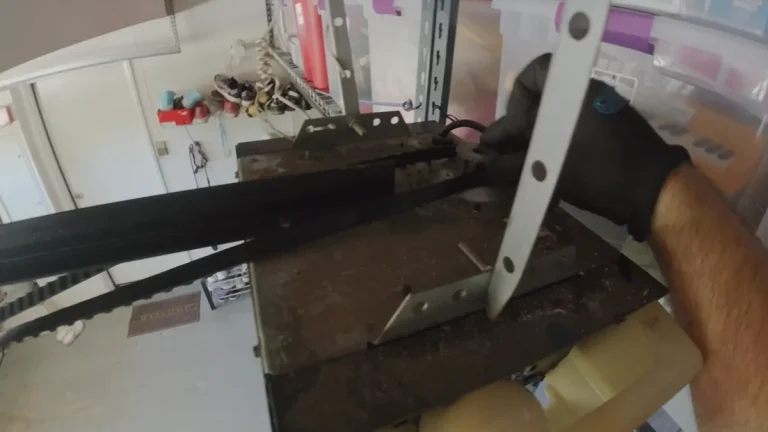
The red emergency release cord hangs from the trolley — the moving carriage on the ceiling rail. Pulling it disconnects the door from the automatic drive system instantly, allowing manual operation. Locate it before you begin. Your wall button unit may also have a dedicated lock or stop function; check your model’s manual to confirm its exact behavior.
When to Stop and Call a Professional
DIY troubleshooting is appropriate for remote synchronization failures, LED indicator issues, and battery problems. Stop and contact a licensed garage door technician when:
- The door reverses unexpectedly without a remote signal
- The motor unit produces grinding or clicking sounds during operation
- The LED indicator shows no response after a hard reset and 3 programming attempts
- Any springs, cables, or tracks appear bent, frayed, or misaligned
Mechanical and electrical faults beyond the door opener receiver are outside the scope of remote programming and require professional diagnosis.
Ready to Regain Control of Your Garage Door
The single reason most Craftsman remote programming attempts fail is missing the 30-second window — every other step is straightforward once you know that constraint. Locate your learn button now, replace your remote battery before you start, and run the full sequence once with nothing else competing for your attention.
If the LED still shows no response after three attempts, pull your model number from the motor unit label and contact Chamberlain Group support directly at chamberlain.com.